Check Turnitin Before Submitting: A Student's Real Guide

Short answer: you can't check Turnitin before submitting through Turnitin itself. There is no student self-serve upload — the engine only runs inside instructor accounts at schools that license it, and submitting anything requires a Class ID. The only way to see the real report your professor will see, before the deadline, is a third-party pre-submission check that routes your paper through an authorized teacher account running the actual Turnitin engine. Before trusting any service with your file, verify two things: it runs the real engine rather than a predictor, and it stores nothing in Turnitin's student paper repository.
A note on authorship. This guide is written by the team behind InDetect, a third-party pre-submission checker with no official connection to Turnitin. We route papers through authorized instructor accounts with zero repository storage, so we have a commercial interest in your pre-checking. We're not neutral here — read the comparisons below with that in mind.
Key Takeaways
Turnitin sells to institutions, not students. There is no official way to run your own paper before submitting.
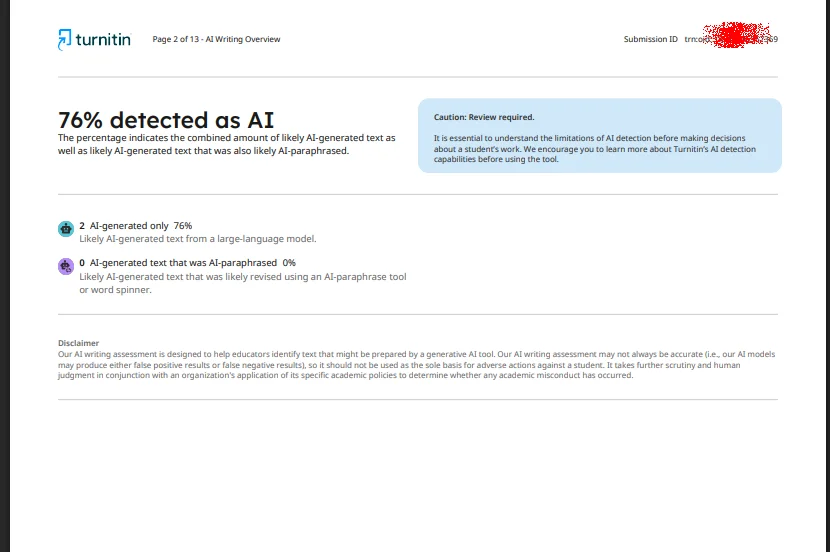
A real pre-submission check routes your file through an authorized teacher account and returns the same report your professor sees — similarity and AI writing percentages, with highlighted passages.
The report takes 5-30 minutes because the paper queues through a shared account. A result in five seconds is a prediction, not a measurement.
Zero repository storage is non-negotiable. A checker that stores your paper gets you matched against yourself at nearly 100% on the real submission.
Pre-check the papers that matter — theses, high-stakes assignments, anything near your school's AI threshold. Skip it for low-stakes weekly writing.
1. Can I Run My Paper Through Turnitin Before Submitting?
Not on your own. Turnitin's help center is clear about who can submit: you join a class using a Class ID and enrollment key your instructor hands out, then submit to an assignment they created. No class, no submission. The AI writing detector lives entirely inside the instructor's Similarity Report workflow — it's a grading tool, not a student utility.
Some schools expose limited previews: Draft Studio, or a draft assignment that runs a report before the final drop-box opens. That only exists if your instructor turns it on, and many don't, because every draft report eats the same queue as real submissions.
So the honest answer to "can I run my paper through Turnitin before submitting" is: not through Turnitin. You can through a third party that has instructor access — if you pick one carefully. Section 5 shows how to tell the real thing from a lookalike.
2. Why Turnitin Will Never Sell You a Pre-Submission Preview
The gap isn't an oversight; it's the business model. Turnitin licenses to universities per enrolled student, per year. A cheap student preview tool would undercut the contracts that fund the company, so there's no reason to build one.
There's also an integrity argument. Turnitin's AI detection exists to flag suspect work after submission — a verdict, not a rehearsal. If every student could preview and tune until the score looked clean, the detector would become an optimization target.
That's why the Class ID wall exists, and why third parties fill the hole. Most of them don't deliver what they promise — we sort that market into simulators, upsell funnels, and the few real-engine services in our guide to the free Turnitin AI detection market.
3. What Your Professor Actually Sees: Similarity vs AI Writing
Your professor's report carries two numbers, and students mix them up constantly.
Similarity percentage: how much of your text matches sources Turnitin indexes — web pages, publications, and, critically, other stored student papers. A 12% similarity score spread across quoted, cited passages is normal. A 45% score concentrated in one paragraph is not.
AI writing percentage: how much of your text Turnitin's classifier believes was written by an AI tool. It's reported per passage, and it's probabilistic. Turnitin's own published documentation discloses roughly a ±15 point error margin on documents of typical length, and acknowledges false positives on human writing.
You need both numbers. A paper can score 5% AI and still fail on similarity, because a source you paraphrased too closely matches a stored paper. A paper can score 0% similarity and still trigger a 60% AI flag, because flat, formulaic academic style reads "machine-ish" to the classifier. We decode the report's symbols in our explainer on the Turnitin asterisk percentage.
4. Your Options for a Pre-Submission Check Without a Class ID
Four real paths, ranked by how close each gets you to the professor's actual number:
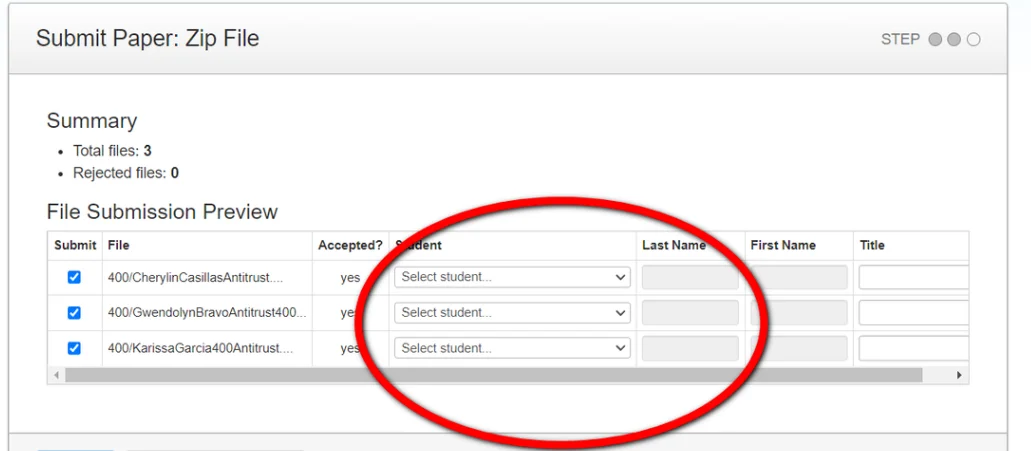
Ask your instructor for a draft slot. Free, official, zero risk. Downsides: many teachers won't offer one, the timing is theirs, and some draft boxes store to the repository by default — ask before you upload.
Use your LMS's built-in checker. SafeAssign in Blackboard and similar tools exist at some schools for drafts. Coverage is inconsistent, and the report is often similarity-only, with no AI flag.
A real-engine third-party service. Your paper is routed through an authorized teacher account, the actual Turnitin engine runs, and you get the full report. It's the only path that shows what your professor will see — and the only one with ToS and repository questions to vet.
A simulator. Paste text, get a percentage in seconds. It runs its own model and predicts. Useful as a rough style signal, useless as a Turnitin score.
4.1 How a Real Pre-Submission Check Works, Step by Step
Here's the pipeline at InDetect:
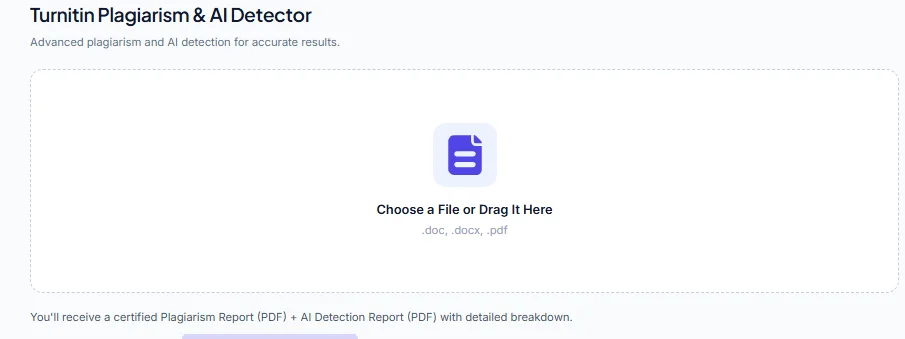
You upload a PDF, DOCX, or TXT file — up to 20 MB. There's no paste box, because the engine takes documents.
The paper is queued and routed to an available instructor account configured for zero repository storage.
Turnitin runs the check. Median wait is about 5 minutes; 95% of reports land within 30.
You get the full report — similarity, AI writing percentage, highlighted passages — in the same layout your professor sees.
The paper and report are deleted within 24 hours — or immediately, if you trigger it.
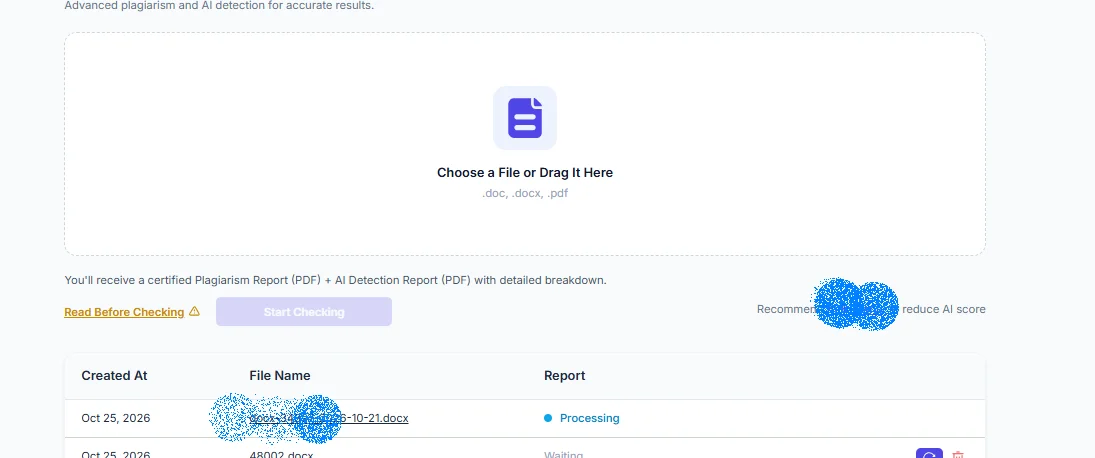
Eligible new users get one free check (availability depends on your country); after that it's subscriptions only — Lite at $9/month for 2 checks, which works out to $4.50 per paper. The repository question is where students get burned, so we wrote a dedicated answer: does a third-party Turnitin check cause self-plagiarism.
5. How to Tell a Real Turnitin Report From a Predicted Score
Five signals, in order of reliability:
Paste box. Real checks take file uploads. If the only input is a text area, a model is running on your words, not Turnitin.
Instant result. The real engine queues through shared instructor accounts. A five-second full report is physically impossible.
Bare percentage. Turnitin returns a document: highlighted sources, per-passage AI flags. A single number with no report attached is a prediction.
No verification. Every real-engine run costs the service money, so they gate it with accounts and verification. Anonymous, unlimited, free checks are simulators or data harvesting.
The word "predict." If the page says "estimate your Turnitin score," believe it — it's admitting it isn't Turnitin.
6. When a Pre-Submission Check Is Worth It (and When It Isn't)
Worth the money:
Your thesis or any capstone — one accusation you can't absorb.
High-stakes assignments: the paper that decides a grade, a scholarship, a program placement.
You've been falsely flagged before. A clean report is evidence you can bring to that conversation.
Your AI percentage sits near your school's informal threshold. Knowing the number lets you revise deliberately.
Not worth it:
Weekly reflections and low-stakes writing.
Papers with a strong paper trail — dated drafts, version history, handwritten notes. If you can defend the process, the number matters less.
One timing note: a real report needs 5-30 minutes plus reading time. If your deadline is inside the hour, read our fast Turnitin check before deadline plan before you upload anything.
FAQ: Checking Turnitin Before Submitting
Can I run my paper through Turnitin before submitting? Not through Turnitin directly — students have no self-serve upload, and submitting requires a Class ID. Your realistic options are a draft slot from your instructor, an LMS checker, or a third-party service that routes your paper through an authorized teacher account running the real engine.
How do I get a Turnitin report without a class ID? Ask your instructor to open a draft assignment, or use a third-party pre-submission service. Services like InDetect use their own instructor accounts, so you never need a class ID. Verify the service runs the real engine and stores nothing in the student repository.
Will checking my paper before submission add it to the Turnitin database? Only if the checker's account is configured to store papers. A zero-repository configuration never adds your paper to the student database, so your official submission can't match itself. Ask in writing before uploading — the answer tells you most of what you need to know.
Do free AI detectors show the same score my professor will see? No. Free detectors run their own models on your text and predict a score. Different training data and methods mean the number isn't comparable to Turnitin's. Only a check that runs the actual Turnitin engine reflects what your professor will see.
How long does a real Turnitin report take before my deadline? Plan on 5-30 minutes: median around 5, worst observed around 30, slower during US evening peaks and the end of term. Anyone promising an instant full report is running a simulator, not Turnitin.
The Bottom Line
You can't preview the report through Turnitin itself, but you can see the real thing before the deadline — route your paper through an authorized instructor account with zero repository storage, confirm the service runs the actual engine, and leave 30-60 minutes of buffer. If the paper is high-stakes, claim the free check for eligible new users (availability depends on your country) or grab Lite at $9/month for 2 checks. Either way, budget the 5-30 minutes the real engine takes, and read both numbers before you submit.